



ℹ️ What is Drive Snapshot
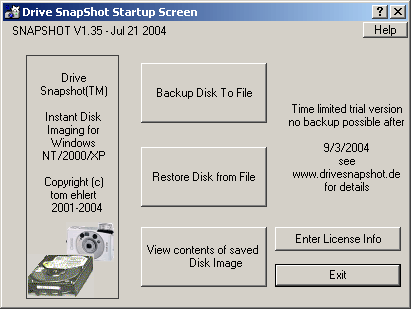
- Drive Snapshot is a disk imaging / backup tool for Windows developed by Tom Ehlert Software. BytesIn+3Softpedia+3snapfiles.com+3
- Its key ability is to create a snapshot / image of an entire drive (or partition) while Windows is running (i.e. no need to reboot into DOS / offline mode). ondeso+3snapfiles.com+3Softpedia+3
- The image created is a single file that contains all the data, including system files, applications, registry, etc. snapfiles.com+2Softpedia+2
- You can mount the image as a virtual drive to browse or extract individual files without full restore. Softpedia+1
- It supports many file systems (NTFS, FAT, ReFS) and is aware of open files, so it can maintain consistency. Softpedia+1
✅ Features & Strengths
Live imaging / snapshot: Back up the system while Windows is running. No need for downtime. snapfiles.com+2Softpedia+2
Mount / exploration of images: You can mount the backup file as a virtual drive to browse or retrieve files. Softpedia+1
Command‑line support: Useful for scripting and automation. snapfiles.com+1
Small footprint: The core program is lightweight; many users remark that it’s simple yet powerful. snapfiles.com+1
Compatibility: Works across many versions of Windows (XP up through Windows 11) and supports RAID, multiple file systems. Softpedia+2snapfiles.com+2
⚠️ Limitations & Considerations
License / cost: It’s not free forever — usually distributed as a commercial product or trial. Softpedia+2ondeso+2
Forensic limitations: Because the imaging is done live (with Windows running), it may not be forensically sound for legal or evidence‑grade acquisition. Some in forensic / legal forums say it’s not ideal for that purpose. Reddit+1
Restoring system drives: Restoring a system (boot) drive typically must be done via boot or rescue media (outside Windows), since you can’t overwrite running system files. BytesIn+3Softpedia+3snapfiles.com+3
Dependency on the product: Because it uses a proprietary snapshot format, full recovery or read access may require the same or compatible version of the software.
Performance / file locking: In heavily loaded systems or with many open files, there could be limitations or performance hits.









