


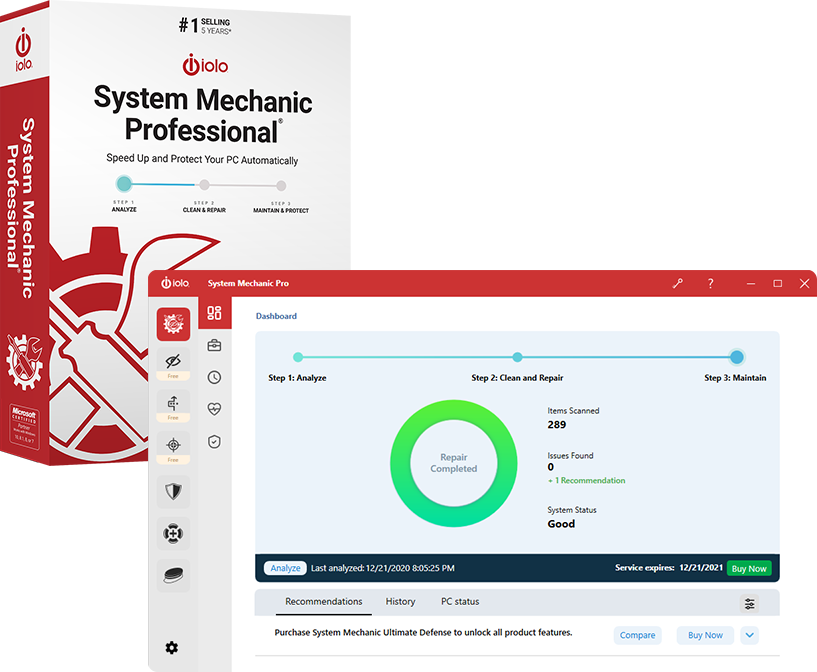
What is System Mechanic Pro 25
System Mechanic Pro 25 is a paid version of Iolo’s PC optimization and maintenance suite. It goes beyond just cleaning up junk; it adds security, privacy, and performance‑boosting features. iolo+2Softpedia+2
Some of the new or highlighted features in version 25 include:
- AppPrioritizer — lets you pick which apps get CPU priority, so your most important apps run faster. iolo+1
- File De‑Duplicator — finds duplicate files to recover storage space. Available in Pro & Ultimate Defense editions. iolo
- ByePass+ Password Manager — added in recent builds to secure logins & autofill credentials. Softpedia+1
- Smart ActiveCare — AI‑based scheduling of maintenance & repair when your PC is idle. Softpedia+1
- Other performance‑improvement tools: startup optimization, disk cleanup, registry fixes, etc
What it Includes (Features in Pro edition)
Here are key features you get with System Mechanic Pro (vs simpler “standard” edition):
| Area | What Pro Adds or Emphasizes |
|---|---|
| Security / Malware | It includes “System Shield” (real‑time protection) and malware removal capabilities. TechRadar+2WizCase+2 |
| Privacy Tools | Password manager (ByePass+), file de‑duplication, possibly drive wiping/secure deletion, and erasing sensitive traces. Softpedia+2iolo+2 |
| Performance Optimization | Cleaning junk files, optimizing startup programs, defragmentation (where applicable), reclaiming RAM, CPU prioritization. iolo+2TechRadar+2 |
| Maintenance Automation | Smart ActiveCare to schedule maintenance; some background tasks to keep system healthy without frequent manual input. iolosystem.com+1 |
Pricing / Licensing
Here’s how the pricing looks (figures approximate, may vary with discounts / region): Guru Software+3iolosystem.com+3iolosystem.com+3
System Mechanic Pro 1‑year license: about US$29.98 during promotional periods. iolosystem.com+1
There is a standard (lesser) version and an “Ultimate Defense” version that includes more security/privacy tools. iolosystem.com+2WizCase+2
The single license tends to cover multiple (up to 10) home PCs, depending on the package. iolosystem.com+1
They often run major discounts, sometimes ~50‑60% off. iolosystem.com+2iolosystem.com+2
Pros
Comprehensive suite: performance, maintenance, privacy, and security features in one place. TechRadar+2iolo+2
Newer tools like AppPrioritizer, file de‑duplicator increase usefulness. iolo+1
Automation (Smart ActiveCare) helps maintain system health without constant manual maintenance. iolosystem.com+1
It includes more than just cleaning: real‑time protection, privacy tools, etc. WizCase+1
Cons / What To Watch Out For
Some features may be optional or not enabled by default (e.g. real‑time protection) so user needs to configure them. VPNOverview.com+1
The interface has many tools; for less technical users, it might be confusing or risky (you might change settings that you don’t fully understand). TechRadar+1
Cost can add up, especially if not using all features. Some users feel you might duplicate what Windows or free tools already do. Guru Software+1
Reports from users of aggressive pop‑ups, nagging to buy upgrades or extra modules, or difficulty canceling subscriptions. Reddit+2Trustpilot+2
Some risk in trusting “system optimization” tools: incorrect cleaning or registry tweaks can cause problems. Always good to backup or set restore points.
Is It Safe / Worth It?
Overall, System Mechanic Pro 25 is a legitimate product with useful tools. If used correctly, it can help improve PC performance, especially on older or cluttered systems. However, its value depends on how much you need/diagnose:
If your PC is relatively new and Windows is not being overloaded, many of its functions (junk cleanup, startup tuning, etc.) may not produce dramatic improvements.
For security, it’s likely better to pair it with a well‑known antivirus suite, or ensure its malware protection is robust and kept up to date.
Be careful about downloads: only from the official site. Avoid pirated or cracked versions (they can contain malware).
My Verdict (for Someone in Bangladesh / Similar Contexts)
If I put myself in your shoes, here’s how I’d think about it:
If you have a PC that is slow, with lots of installed apps, many background processes, possibly little maintenance done, then System Mechanic Pro can bring noticeable improvements.
If you’re tech savvy (can understand what settings do) it’s more useful. If you’re less technical, you might risk misconfiguration or spending more than benefit.
Price‑wise, the global discount offers (~US$30 or less) are reasonable; but you’ll need to check what it costs in Bangladeshi taka, whether they accept local payment, whether there are taxes, etc.
Alternatives exist (some free, some cheaper) that do parts of what System Mechanic Pro does; so it’s good to compare with those before buying.









